Such a fun activity. You could play with Family, Neighbors, Church Members… really with any group your are missing.
What a year 2020 has turned out to be, am I right? With distance learning, quarantining and social distancing becoming the temporary norm, it hasn’t left a lot for getting together with people. Well, I wanted to change that…
A couple of weeks ago, I hosted a virtual “ice breaker” activity. We have had quite a few people move into our church boundaries during this pandemic and haven’t been able to meet them. So I thought, “What better way, than to do a virtual activity with all the ladies in my ward?” It was so much fun and turned out better than I imagined. Here is what I did to make it a success.
Planning
Anyone who has been on a Zoom meeting knows, the more people you have on, the more time is spent trying to make sure everyone isn’t talking over each other. So, to remedy that I decided to break up the evening into 3 different Zoom calls with 3 different groups for each call. Each call would have a certain number on it, getting bigger with each call.
| Zoom Call #1 7-7:20pm | Zoom Call #2 7:30-7:50pm | Zoom Call #3 8-8:20pm |
| 4-5 participants | 6-7 participants | 9-12 participants |
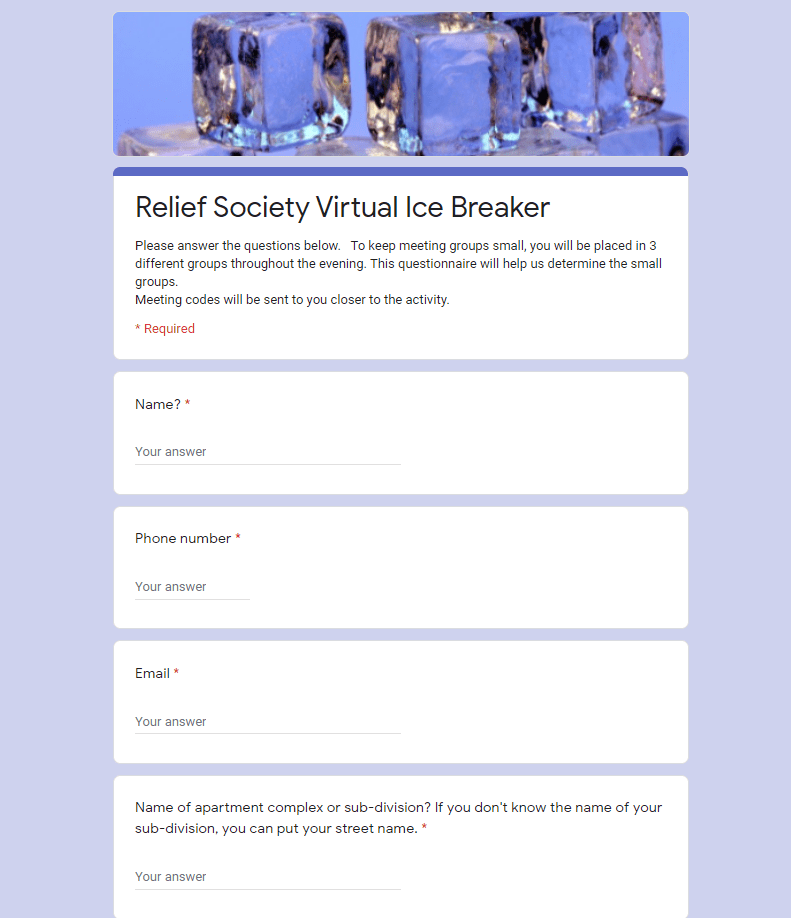
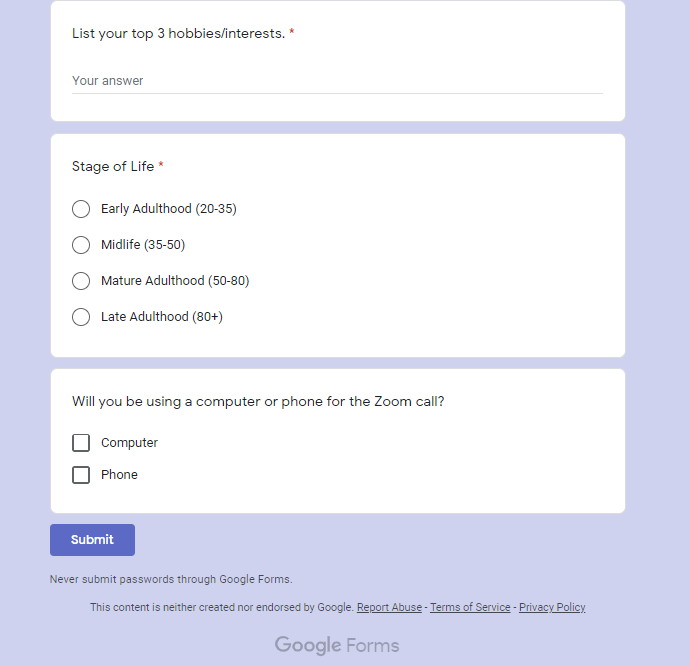
Another thing I did was put out a virtual invite on our wards Instagram and Facebook pages. I asked them to RSVP and fill out the Google form sheet. The Google form sheet was what gave me all of the information to put those that RSVP’d into groups. I took a screen shot below of the questions I asked.
TIP
Give yourself 4-5 days before the activity to gather the data and assign people to groups
Once I received the data, I organized it like this:
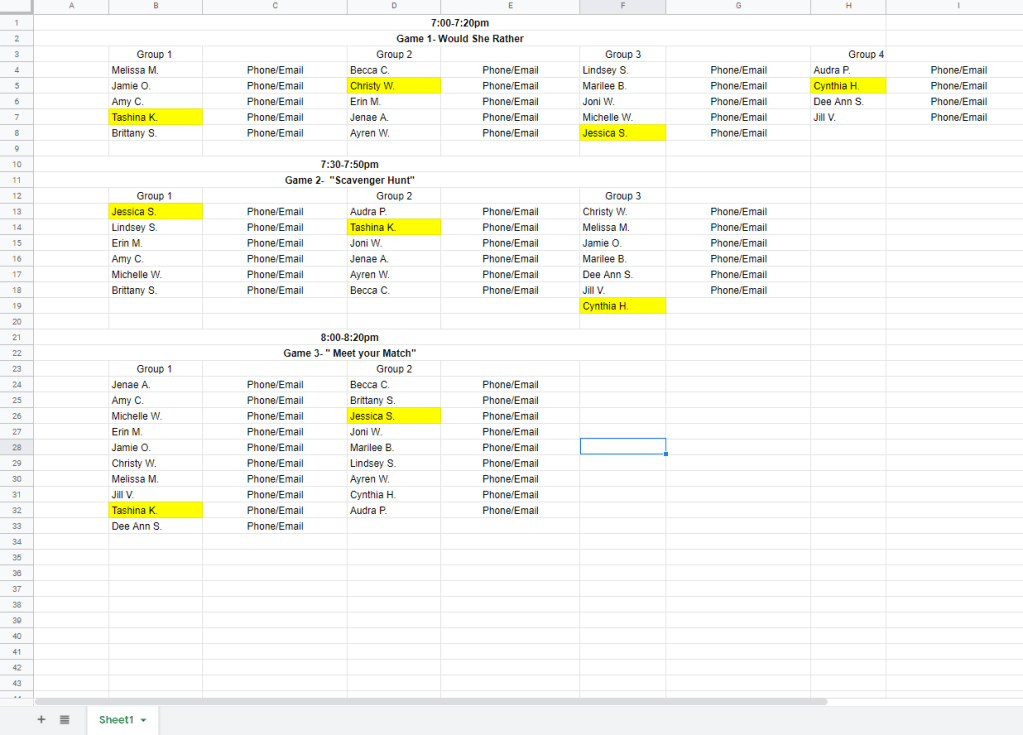
For game number #1 I used the “where do you live” question on the Google form to assign groups.
For game #2, I used the “stage of life” question to assign groups.
For game #3, I used the ” 3 interests/hobbies” to assign groups.
This was a the best guide that I thought of, but it wasn’t without errors. I had to move some people around if I had too many in one group.
The people highlighted in yellow were the people I asked to be in charge of “hosting” the Zoom calls. They would set up the meetings before hand, send out the invites and moderate the game. More on that coming up.
The Invites
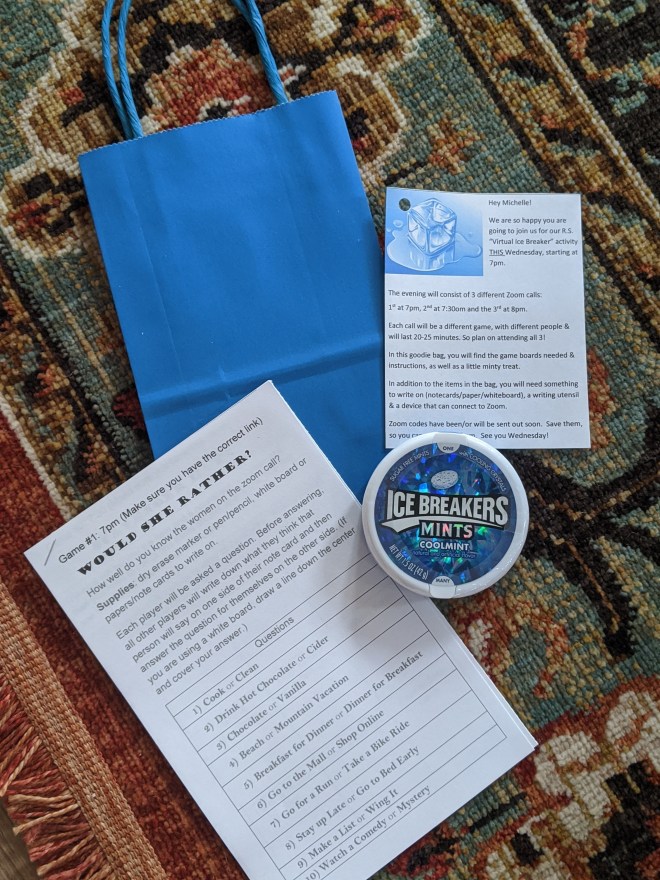
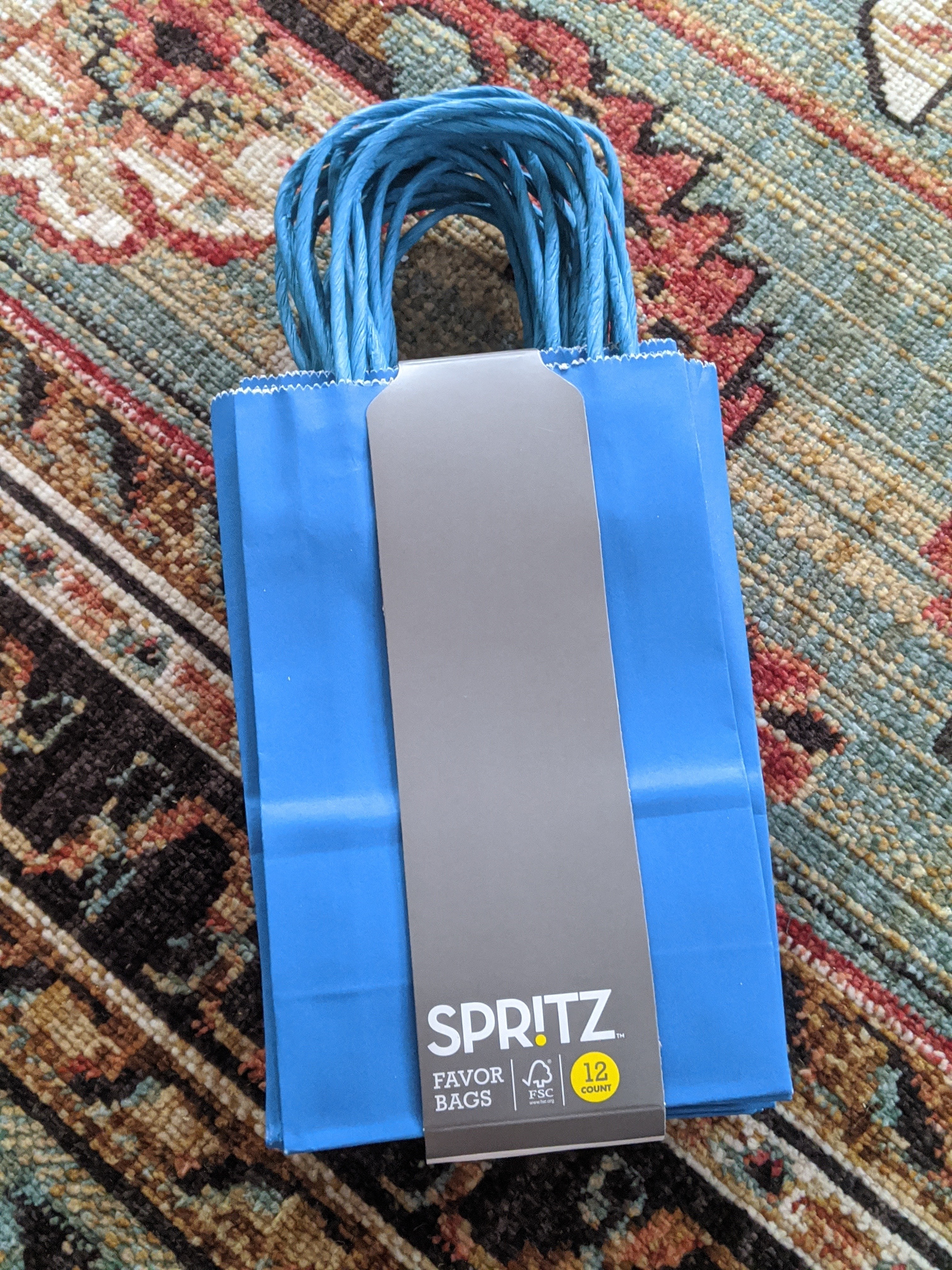
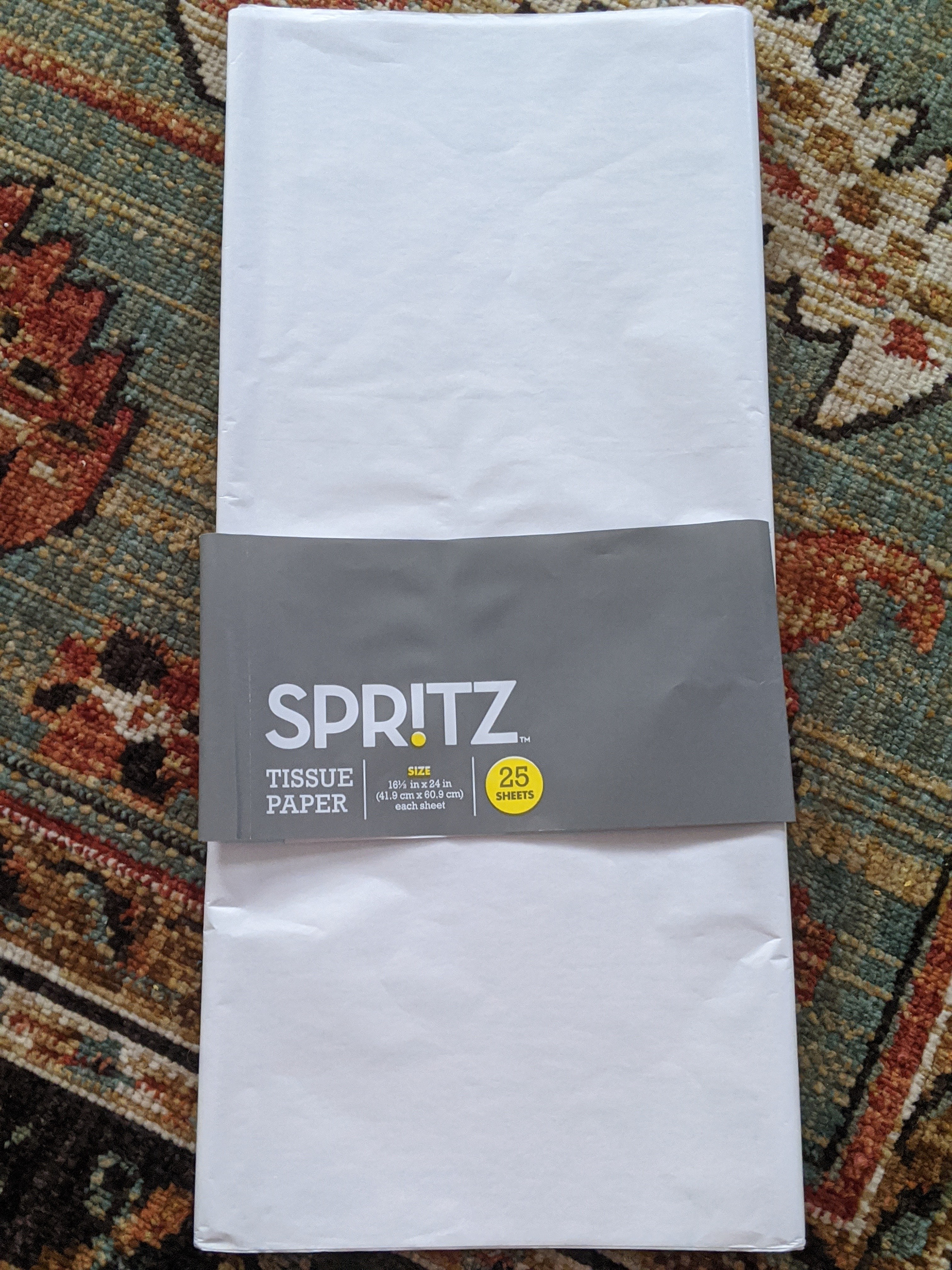
I purchased these blue bags and white paper from Target. And I purchased the Ice Breaker mints off of Amazon. Into the bag went a container of mints and a game board, I added the tissue paper and the personalized instruction tag (download below) and BAM! A cute little invite and favor in one for under $3 a person.

The Games
If you type in, “virtual ice breaker” into your search bar, there are some really fun ones that pop up. The ones I chose were:
– Would She Rather
-Scavenger Hunt
-Meet Your Match
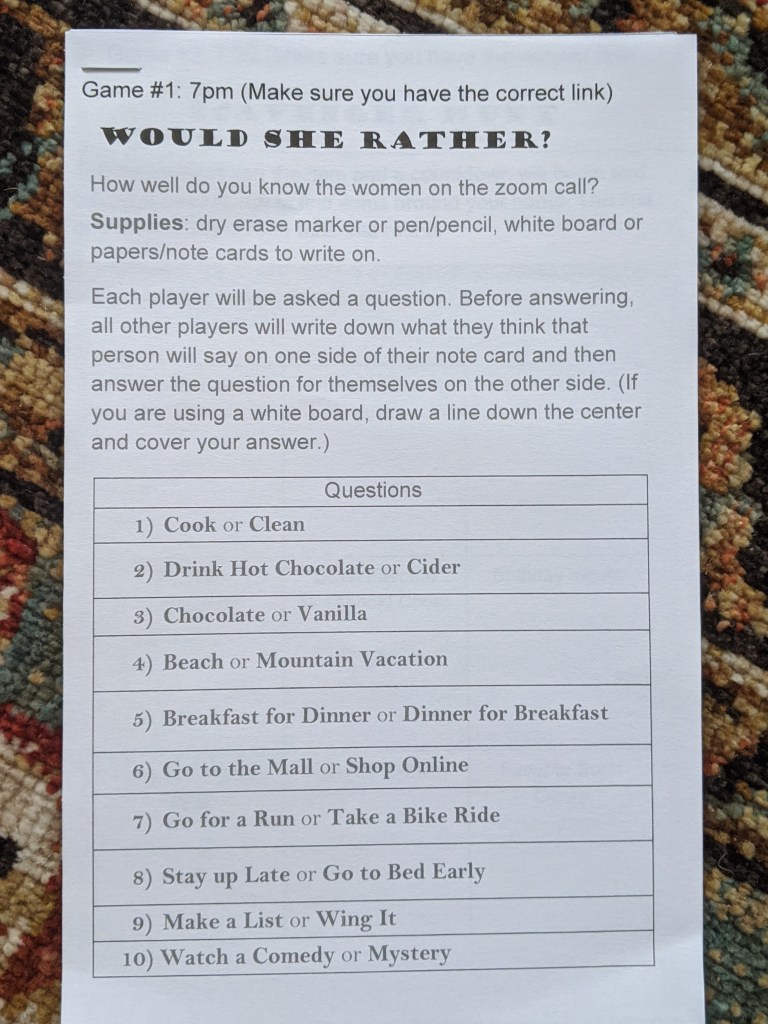
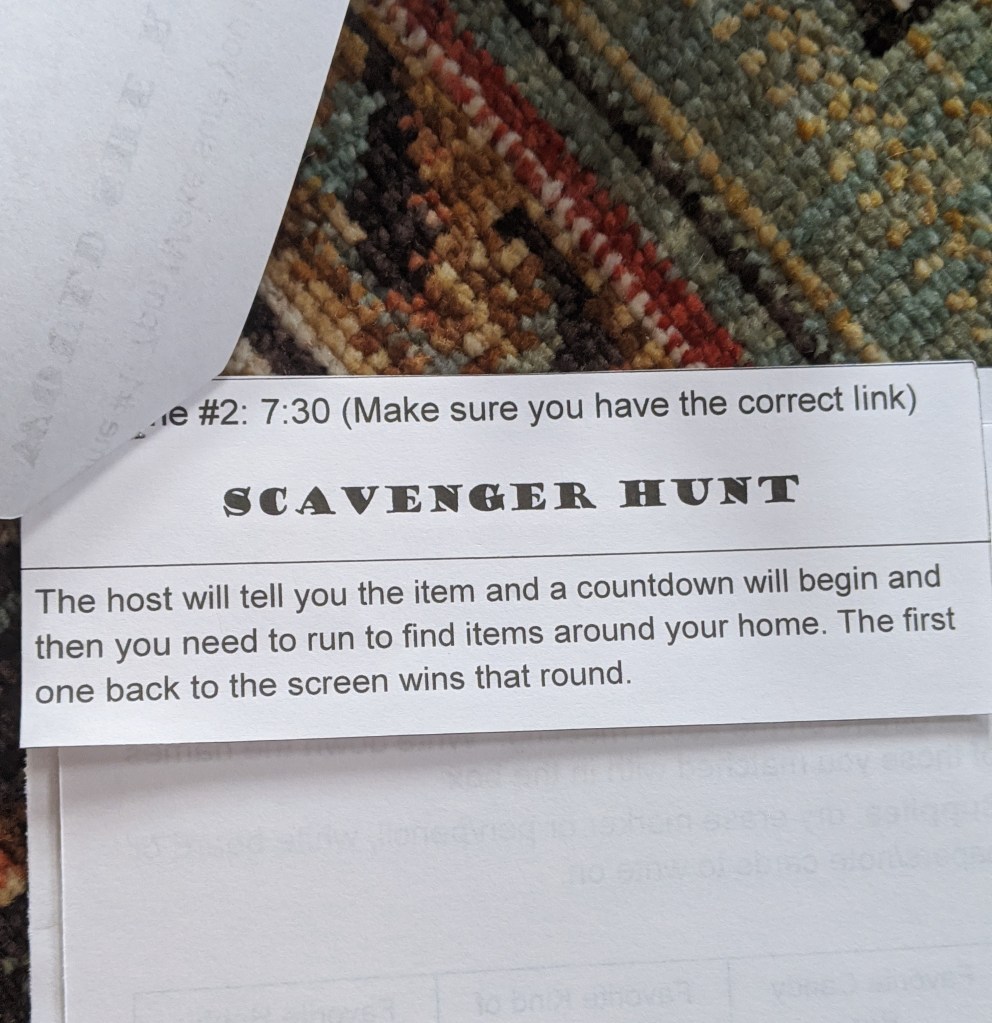
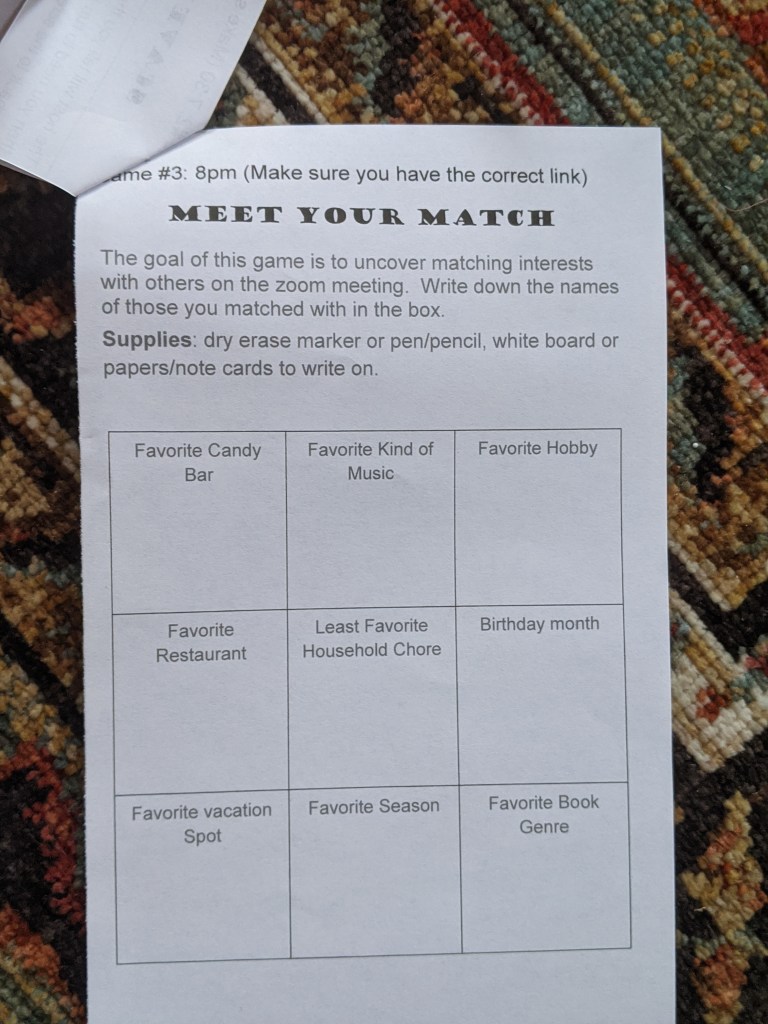
I saved how you play each of them on a highlight bubble on my Instagram account. Follow along for more fun ideas.
https://www.instagram.com/day2dayjess/
Free Printables below
Feel free to print them off and use them.
For the Scavenger Hunt game, I wanted the items they scavenged to be a little more telling of their personality. For example, some of the hints were:
“find the last book or current book your are reading.”
Another one was:
“Aside from another family member, what is one thing that means the most to you?”
The first person who made it back to the screen got to go first and briefly tell everyone what their item was and why they chose it. Then they would get to pick the next person to speak about their item until everyone got a turn. We only had time to do about 4 scavenger rounds.
For Meet your Match, the way we played is that everyone started of muted. The host would move through the game board asking everyone to write down their favorite item. Then the host would ask everyone to show their board/paper/notecard. The other participants would look at the zoom call and see if they matched with others. If they did, they would write down the individual(s) names in the box. The host would move on to the next box. Once the host competed asking all the questions, THEN we would unmute and go over each questions and see who got the most, who they matched with, etc. But you can play it unmuted as well.
The Evening
Alright, if you have posted the invite, had your participants fill out the Google form, printed the game boards, put together the invites/favors and delivered them, organized the groups and designated hosts for each group THEN you are ready for the evening!
A couple of last tips:
Tip #1- Make sure your hosts know how to play the games before getting on.
Tip #2- Allow for enough time to run over AND for everyone to get on to their next call. I allotted 5 minutes to run over with a cut off time and 5 minutes for people to get on to their next call.
Tip #3- Use the waiting room on Zoom. That way if you are a host and running late, you can gather yourself before the next game.
Tip #4- Allow for some time at the beginning for everyone to go around and say there name. Then allow some time at the end for some virtual chatting.
That’s it!
Whew! if you made it through that I applaud you. I tried to go into a lot of detail, but if you still have questions, please don’t hesitate to reach contact me on my email day2dayjess@gmail.com or under my “Ice Breaker Activity” post on my Instagram.
Make today your day!
Jess
 Day2Day Jess